Journey: a reviewer
Approving knowledge, and seeing a change make an artifact stale
A reviewer is the person whose judgment the whole product rests on. Their organization's onboarding handbook has just been replaced, and a procedure has changed at its source. Here is what they see, and what the product person working on onboarding sees as a result.
-
Step 1
The queue shows what needs a decision
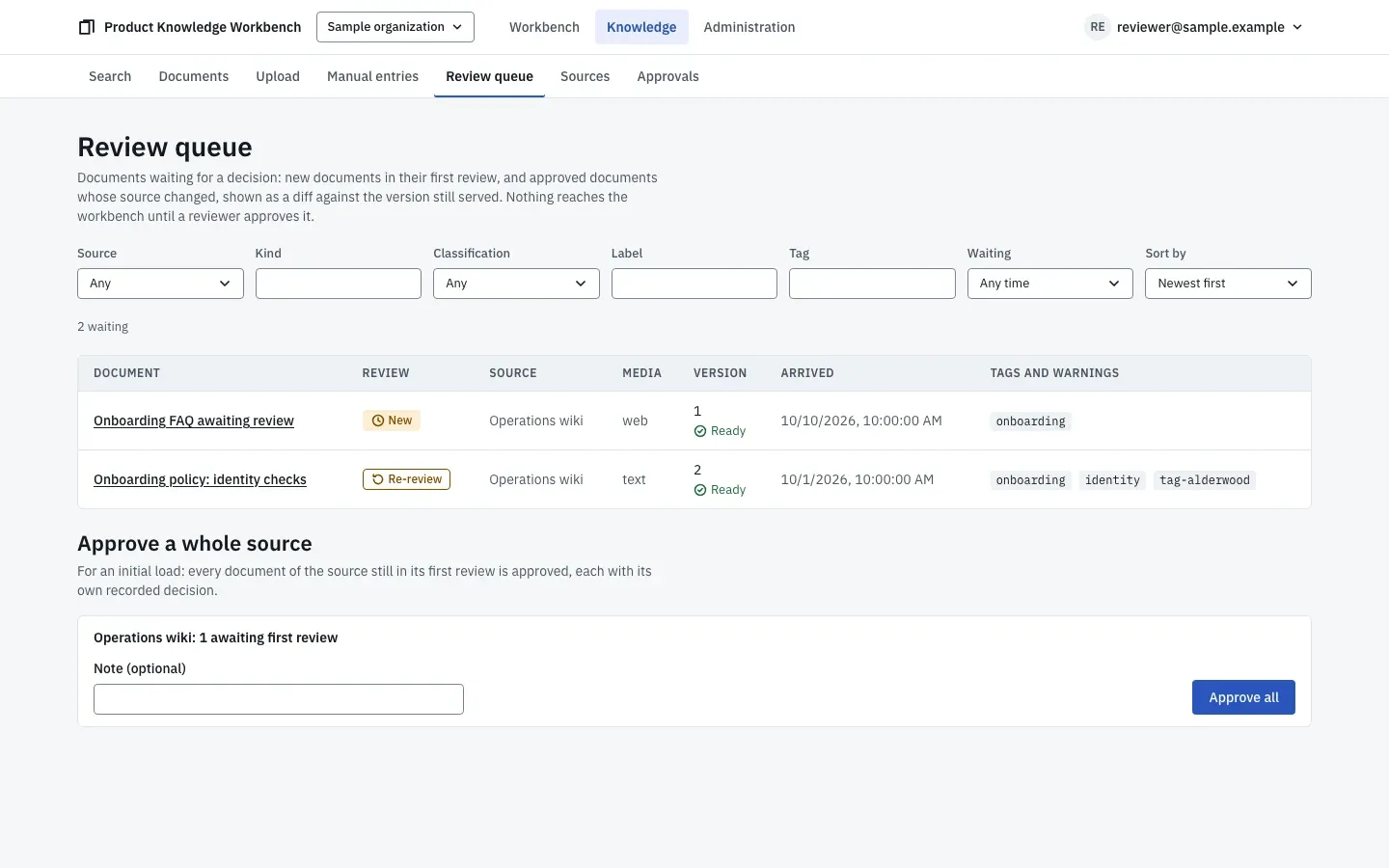
The review queue with one new document and one approved document back for re-review. The review queue lists every document waiting for a decision: new documents in their first review and approved documents whose source changed. Each row shows the source, the kind, the version, and any extraction warnings. For a source's first load, the reviewer can approve the whole source after sampling it, and each document still gets its own recorded approval.
-
Step 2
A changed source comes back with a diff
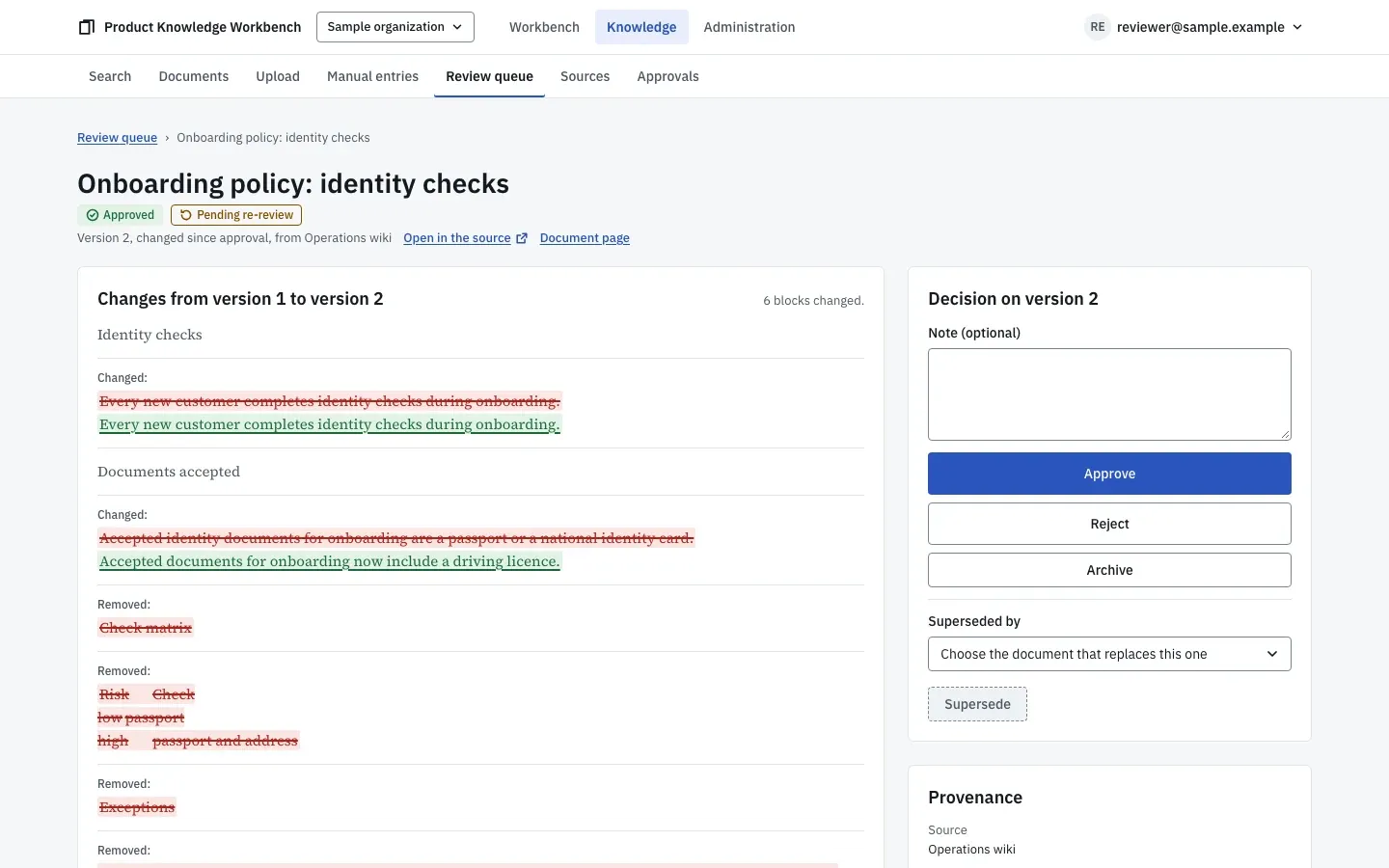
A document in re-review, with the changed blocks against the version still in use. The procedure changed at its source, so it is back in the queue as a re-review. The version in use stays in use, flagged, while the reviewer reads the difference block by block. They approve the new version. Had the change been only to the title or the formatting, it would not have come back at all.
-
Step 3
Approved knowledge is what everyone else sees
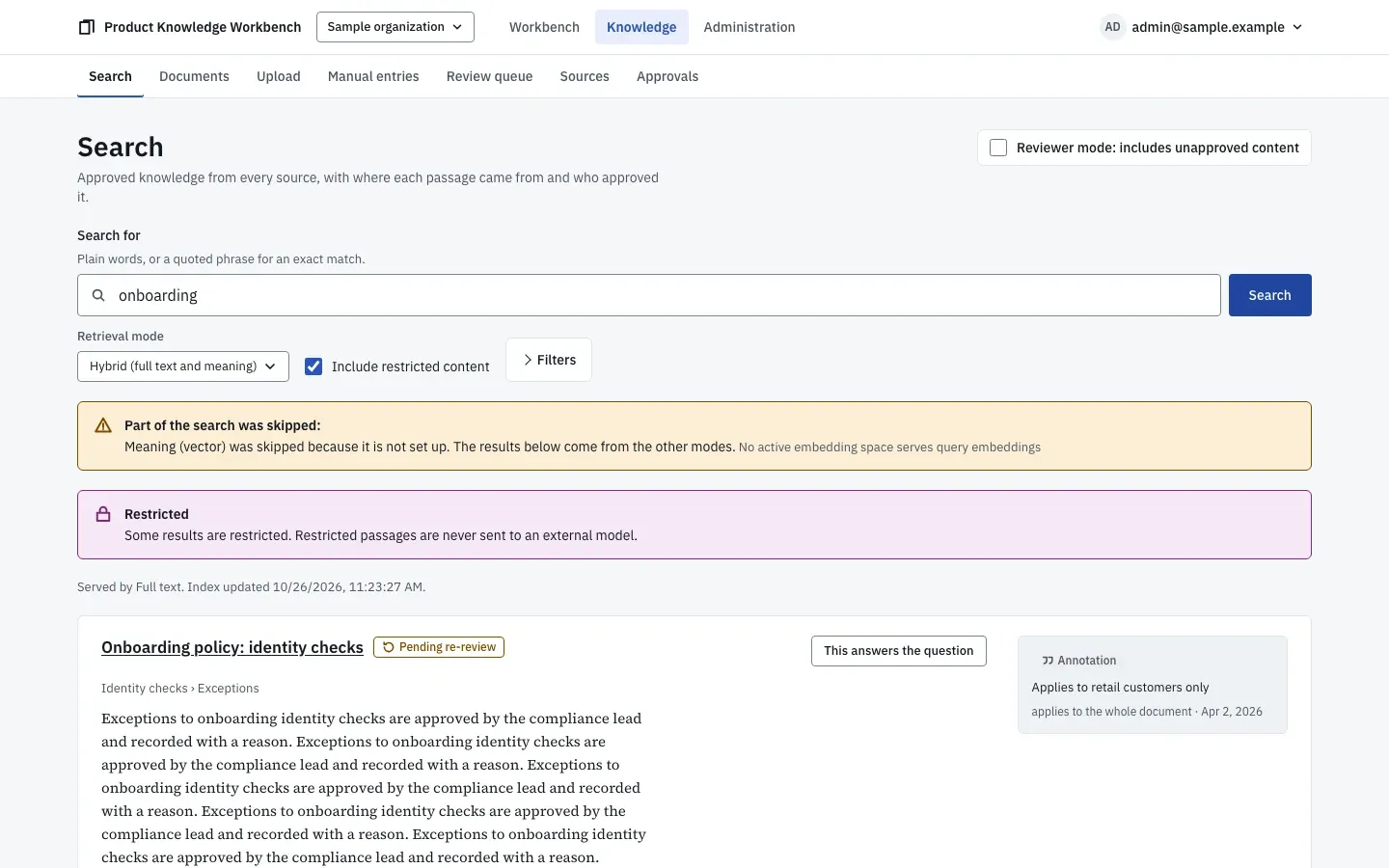
A search over approved knowledge. Each passage shows where it came from and who approved it. Search matches meaning as well as words and returns approved passages only, each with its document, its location, the approver, and the source. The reviewer can switch to a reviewer mode that includes unapproved content; it is labeled on every result, and nothing found there can be cited.
-
Step 4
The artifacts built on the old version turn stale
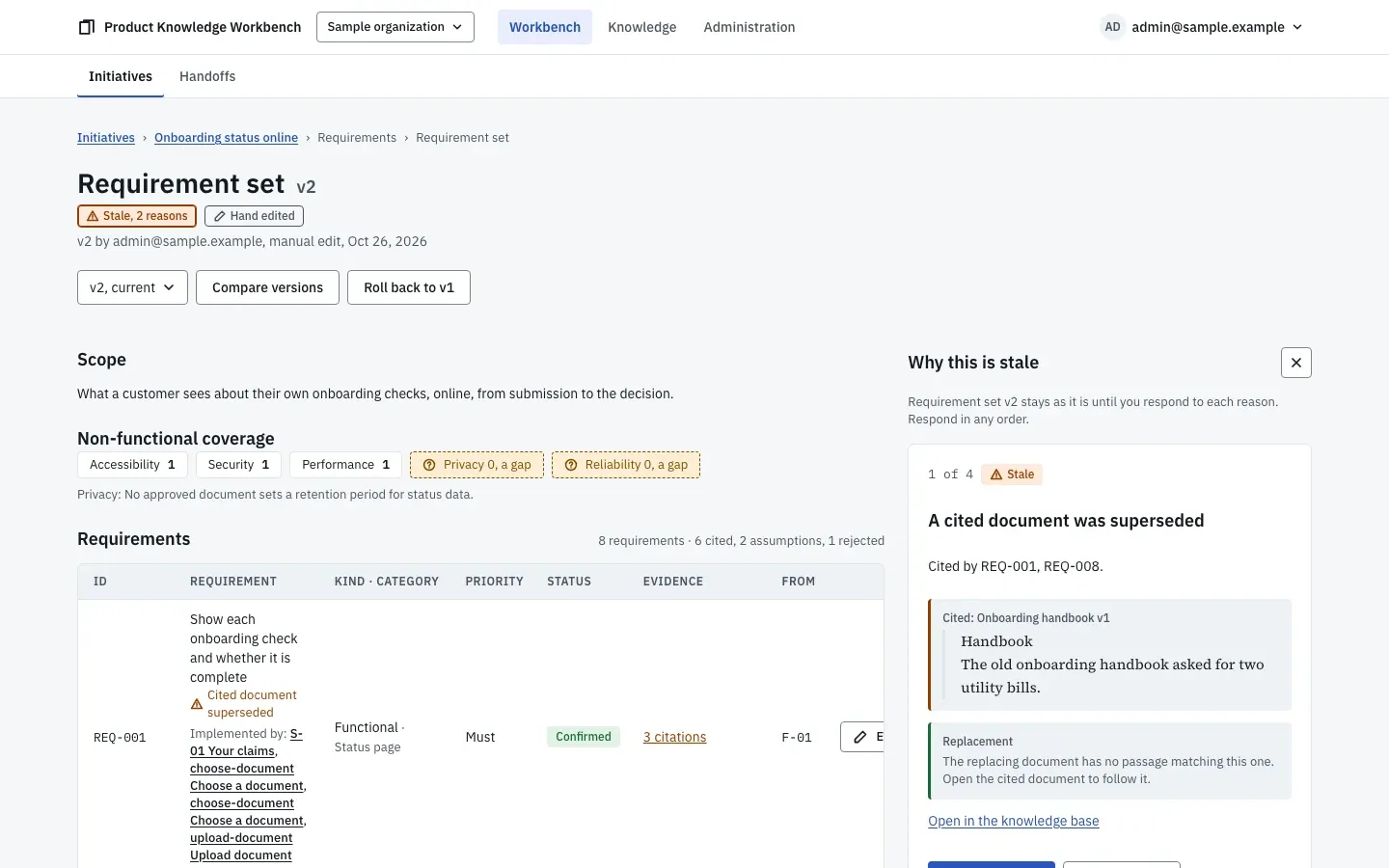
The staleness panel on the requirement set, one reason at a time, with the cited passage and what replaced it. Within one knowledge check, which runs every 15 minutes, every artifact that cited the old version is marked stale. The product person's requirement set shows a Stale badge with two reasons: a cited document was superseded by the new handbook, and a cited passage changed. Each requirement affected says which. Nothing was rewritten behind anyone's back.
-
Step 5
Three ways to respond, each recorded
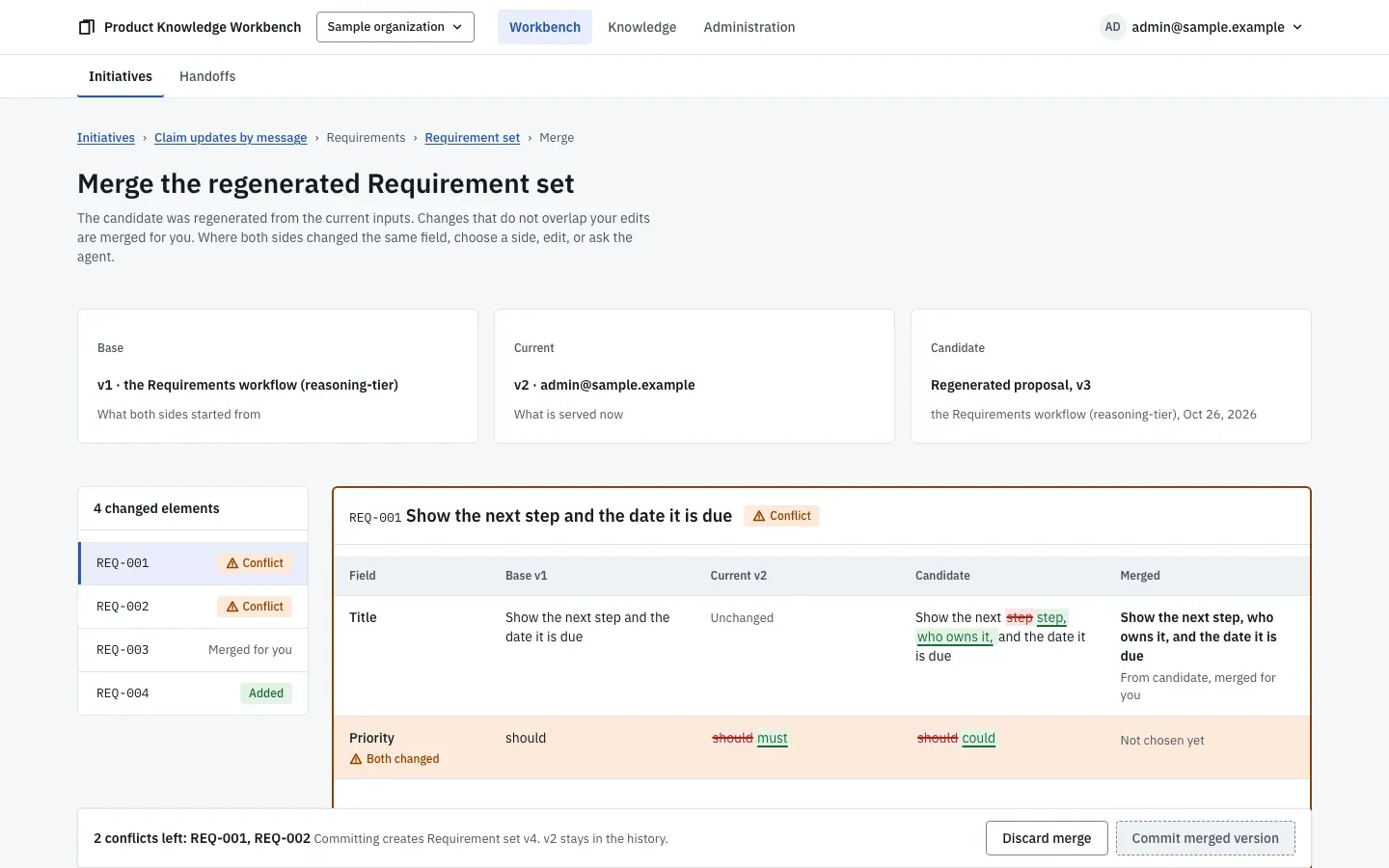
The merge view, with base, current, and candidate side by side and the conflicting requirements to decide. For each reason the product person chooses. Regenerate makes a new version from the new knowledge and keeps their hand edits. Keep as is records a note saying why the old version still stands, and that note travels into the handoff bundle. Merge offers the regenerated version beside theirs, element by element, with the agent's help on a conflict. When the requirement set has moved on, the flows, designs, and mockup built from it turn stale in turn, and one action regenerates the whole chain in order after showing its estimated cost.


What the product did for them
- It kept anything unapproved out of search and the workbench, while the reviewer worked through the queue.
- It kept the approved version in use until the reviewer had read the changed one, and showed the change as a diff.
- It found every artifact that relied on the old version and offered three recorded ways to respond, instead of overwriting them.