Journey: an engineering reader
Opening a handoff bundle and its walkthrough
An engineer has been told the claim status work is ready for them. They have a read-only seat in the workbench and an hour before planning. Here is what they find, what they can check without asking anyone, and how it reaches their own planning.
-
Step 1
The handoff page says what is settled and what is not
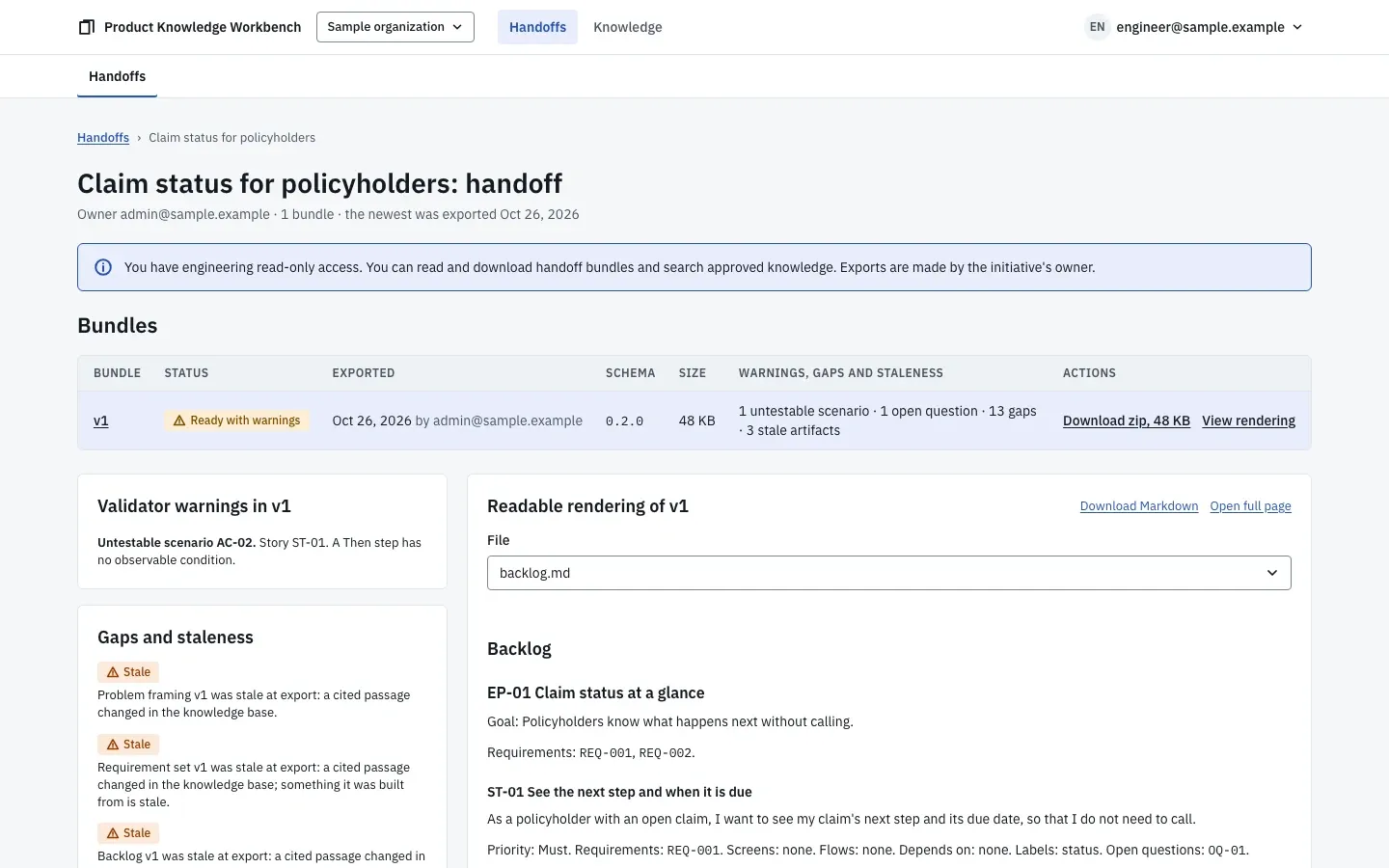
The handoff page as an engineering reader sees it. The handoff page lists the initiative's exported bundles with their schema version, size, and warnings, and a summary of the gaps and stale artifacts at export. There are no controls to change anything; the engineering role reads bundles and approved knowledge, nothing else.
-
Step 2
The bundle reads as a document and parses as data
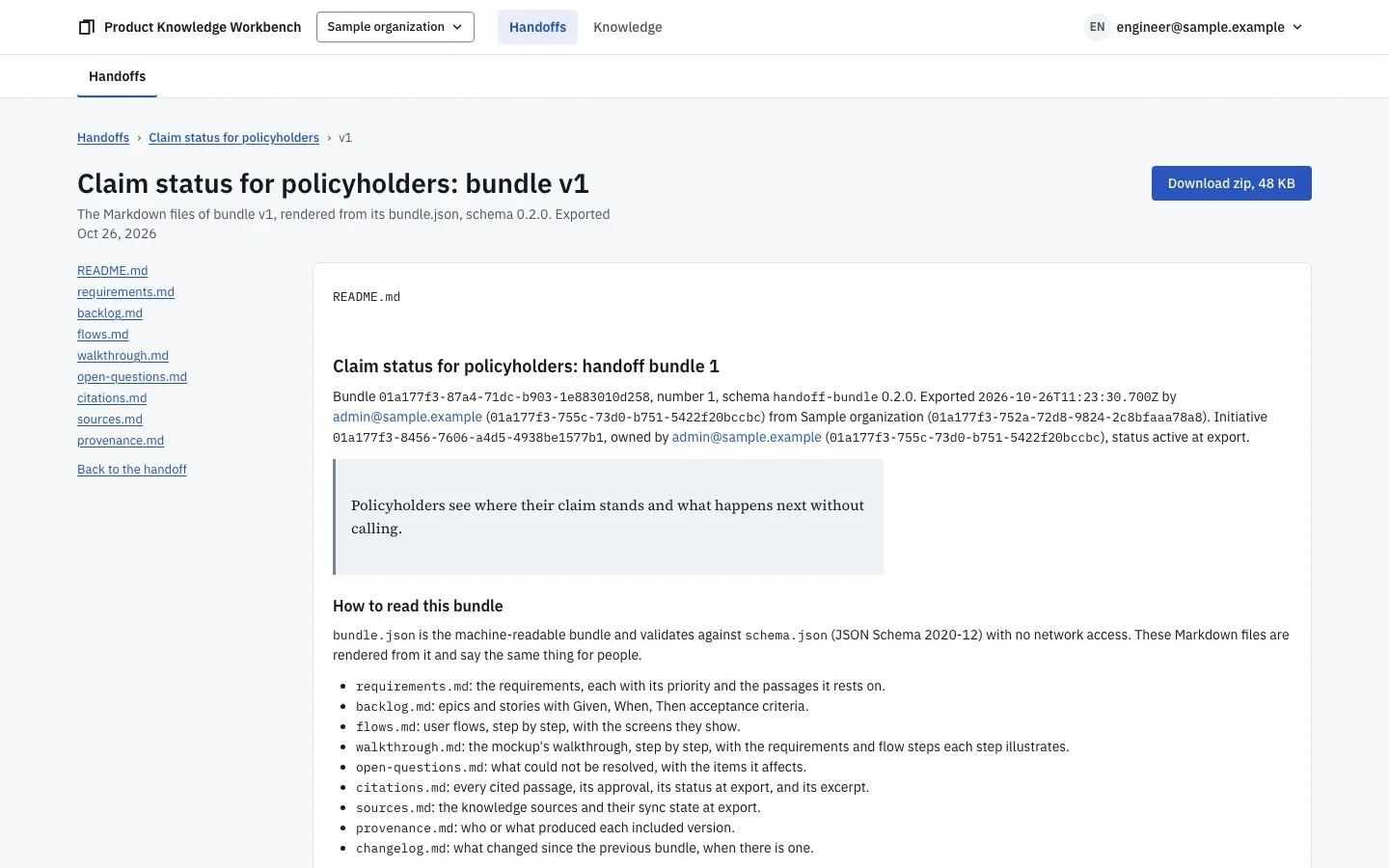
The bundle's rendering, with its files listed and the guide to reading it. They open the bundle's rendering. It starts with how to read it:
bundle.jsonis the machine-readable bundle, validated against its JSON Schema, and the Markdown files say the same thing for people, requirements, backlog, flows, walkthrough, open questions, citations, sources, and provenance. Each story has Given, When, Then scenarios, and the export lists any scenario that fails the testability rules. -
Step 3
The walkthrough shows the intended path
The mockup's walkthrough playing in the sandbox, step by step. The mockup opens in a sandbox, built from the organization's registered design system. They play its walkthrough: each step highlights one element on one screen, explains it, and names the requirement and the flow step it illustrates. The same walkthrough is in the exported HTML file, which opens offline.
-
Step 4
Every requirement leads back to its evidence
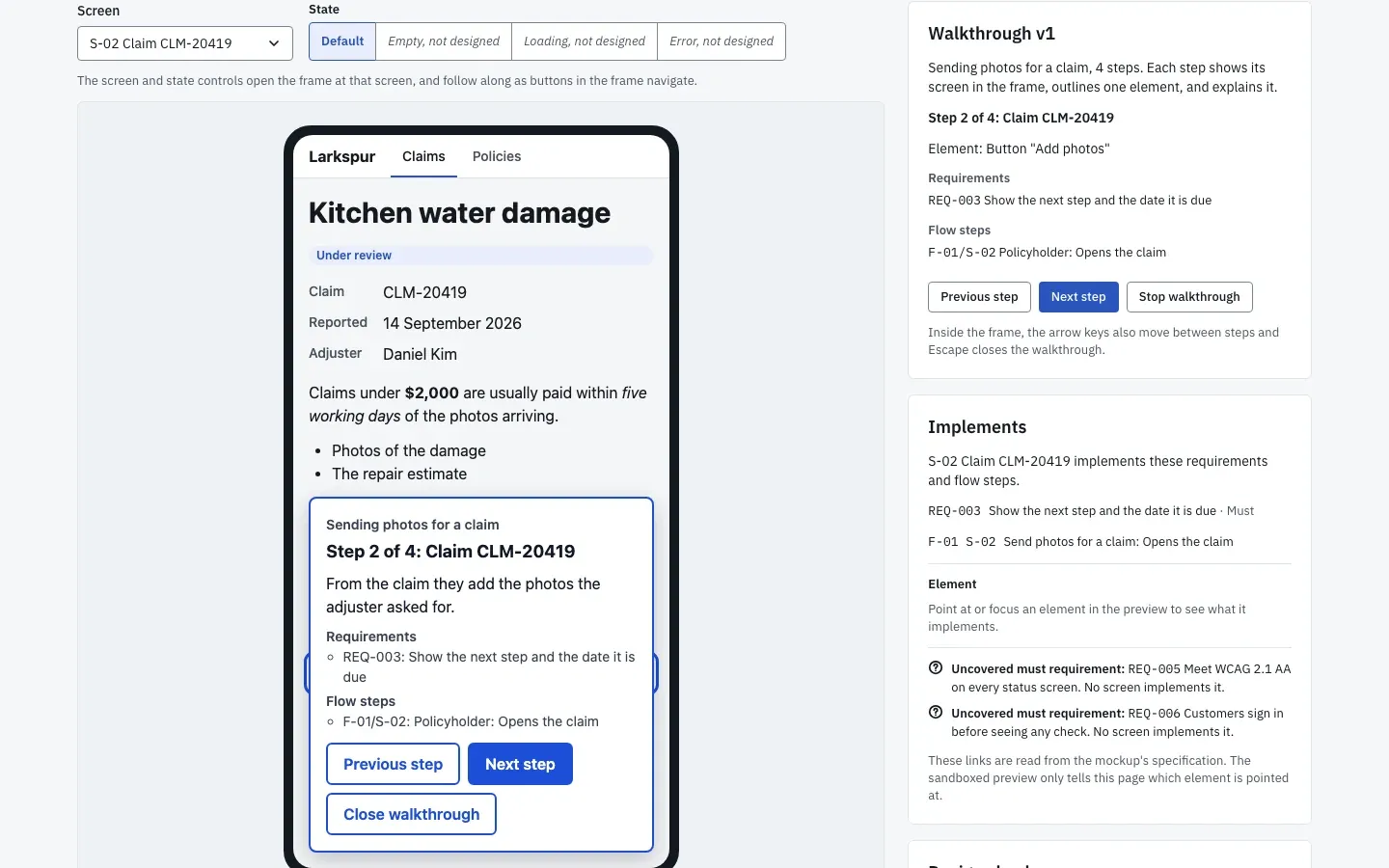
A walkthrough step with the screen's implemented requirements and the uncovered must requirements beside the frame. Beside the mockup, the screen lists the requirements it implements, and the must requirements no screen implements yet are listed as gaps. In the bundle, each requirement's citations are resolved at export and embedded with their surrounding section, so the engineer can read the passage behind a requirement without access to the knowledge base.
-
Step 5
The bundle lands in the shape their team plans from
The team plans with a spec-driven method, so the product person exported the bundle with that method's export profile, and the download already holds the method's own files. The same requirements, stories, scenarios, and citations come out as a product requirements document, a front-end specification, and one file per story. Beside them, the
prompts/folder holds the planning prompts for what the product left to engineering, the architecture document, the task breakdown per story, and the test plan, each naming the bundle files it reads and carrying the open questions and assumptions. They run the first prompt in their own tools, and the plan it produces cites the same passages the requirements do.


What the product did for them
- It gave the engineer a versioned bundle they can read as a document and process as data, with every scenario checked for testability.
- It showed the intended path through the mockup, step by step, and let them trace any requirement to the approved passage behind it.
- It handed the work over in the folder layout their method reads, with planning prompts that carry the evidence, the open questions, and the assumptions into their own plan.